Your H1 Says Nothing Useful. AI Search Skips the Page. The 10-Minute Fix
October 6, 2026
A founder recently showed me a website they had built in one afternoon with an AI website builder.
The site looked good. It loaded quickly. The offer was clear to a human visitor.
Then I checked the headings.
The H1 said “Welcome.” Three sections used “Features.” Two separate elements were marked as H1s. The page explained a useful product, but its structure did not clearly say what the page answered.
That is the hidden cost of shipping quickly with AI builders, no-code tools, and vibe coding. The visible design can look finished while the underlying HTML gives Google, ChatGPT, and Perplexity very little context.
The fix usually takes 10 minutes.
Why vague headings create an SEO and AEO problem
Headings help visitors scan a page. They also help search systems identify the subject, sections, questions, and relationships within your content.
A vague H1 such as “Welcome” does not tell a search engine what the page offers. It does not tell an answer engine whether the page is relevant to a question such as:
- “How can I automate invoices for a small business?”
- “What is the best invoicing software for freelancers?”
- “How do I create an invoice without accounting software?”
Your page may contain the answer somewhere in the body copy, but weak headings make that answer harder to identify and extract.
This matters for both traditional SEO and answer engine optimization. SEO helps your page appear in search results. AEO helps systems such as ChatGPT, Google AI Overviews, and Perplexity understand and cite your content.
Neither Google nor an AI system relies on one heading alone. Your H1 is not a magic ranking switch. It is one of many seo ranking factors and clarity signals that make the entire page easier to interpret.
What should your H1 say?
Use one H1 per page. Make it specific enough that someone can understand the page topic without reading the introduction.
Your H1 should describe:
- The product, service, or problem
- The audience or use case when relevant
- The main phrase buyers actually search
- The result or purpose of the page
Do not turn your H1 into a slogan.
❌ Welcome to the future of productivity
✅ Project Management Software for Small Remote Teams
❌ Our Solution
✅ Affordable Bookkeeping Services for Freelancers
❌ Get Started
✅ How to Create a Free Business Website
The best H1 is not always the exact keyword with the highest search volume. It is the clearest description of the page’s main purpose.
Use a keyword naturally. Do not write a robotic phrase such as “Best Best Affordable Project Management Software Small Business.”
Turn H2 headings into questions buyers ask
Once the H1 identifies the main topic, use H2 headings to organize the questions and decisions that matter to your audience.
Question-shaped headings are useful because they mirror how people search and speak to answer engines.
For a page about bookkeeping software, weak sections might look like this:
| Vague heading structure ❌ | Answer-ready heading structure ✅ |
|---|---|
| Features | What features does this bookkeeping software include? |
| Benefits | How does it help freelancers save time? |
| Pricing | How much does bookkeeping software cost? |
| Get Started | How can I create my first invoice? |
| FAQ | Is this software suitable for a one-person business? |
The right column gives each section a clear job. It also creates natural opportunities to answer related searches.
Start each section with a direct answer. Do not make the reader search through five paragraphs before finding the point.
For example:
Freelancers can use this bookkeeping software to track income, categorize expenses, send invoices, and prepare simple financial reports without hiring an accountant.
Then add supporting details, examples, limitations, and next steps.
That structure improves usability and gives an answer engine a self-contained passage it can understand.
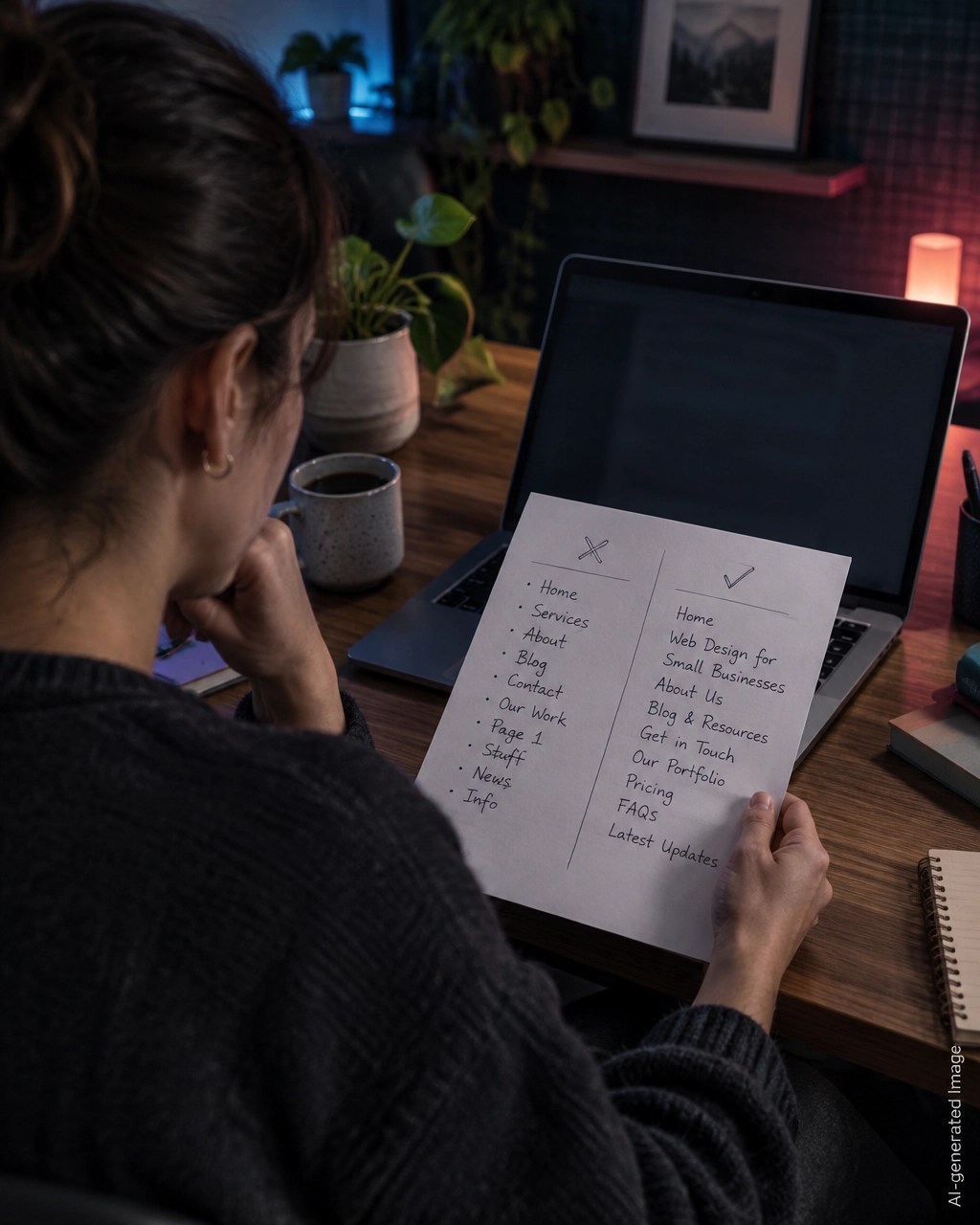
Keep H1, H2, and H3 in a logical order
Treat headings like an outline.
- H1: The main subject of the page
- H2: A major section or buyer question
- H3: A supporting detail within that section
Example:
H1: Website SEO Audit for Small Businesses

H2: What does a website SEO audit check?
H3: Technical SEO issues
H3: On-page content issues
H3: Search visibility issues

H2: How can I fix the most important problems?
H3: Improve the page title and H1
H3: Add descriptive internal links
H3: Fix missing schema markup
Avoid jumping randomly from H1 to H4 because a design template makes the text look smaller. Heading levels are structural, not visual.
If you need smaller text, change the font size in your editor. Do not choose H3 simply because it looks better.
Also check for duplicate H1s. Some AI builders assign H1 to the logo, hero headline, product name, and every major section. That creates an unclear page outline.
A single H1 is the safest structure for a normal landing page, service page, blog post, or product page.
Match headings to real buyer language
Do not guess what your audience wants to know. Look at the phrases they already use.
Check:
- Search Console queries
- Questions in sales calls
- Support emails
- Reddit and community discussions
- Autocomplete suggestions
- Competitor page sections
- Your own keyword research
A founder may describe a service as “growth enablement,” while buyers search for “marketing help for local restaurants.”
Use the buyer’s language in the H1 or a relevant H2 when it accurately represents the page.
For example:
❌ Growth Enablement for Modern Brands
✅ Local SEO Services for Restaurants and Cafes
❌ Build Better Connections
✅ Customer Relationship Management for Small Teams
This is not keyword stuffing. It is plain-language positioning.
It also supports AI search optimization because specific entities, audiences, and services are easier for search systems to identify than abstract marketing language.
The 10-minute heading repair playbook
You can run this process in WordPress, Webflow, Wix, Squarespace, Framer, Shopify, or almost any no-code editor.
1. Identify the page’s one main answer
Complete this sentence:
“This page helps [audience] understand or do [specific thing].”
Turn the result into a descriptive H1.
Example:
“This page helps solo founders learn how to audit their website for SEO and AI search.”
Possible H1:
How Solo Founders Can Run a Website SEO Audit for Google and AI Search
2. Find every heading on the page
Open the editor and scan the page from top to bottom.
Look for:
- More than one H1
- Missing H1
- “Welcome,” “Our Story,” or “Features” without context
- Headings that describe design sections rather than customer questions
- H3 or H4 headings appearing before an H2
Change extra H1s to H2s or H3s based on their position in the outline.
3. Rewrite the H1
Use one clear topic. Include the main search phrase if it fits naturally.
Keep the wording concise, but do not remove the details that make the page useful.
4. Rewrite major sections as questions
Convert generic headings into questions or direct statements that reflect search intent.
- “Pricing” becomes How much does the service cost?
- “Benefits” becomes What problems does this service solve?
- “Process” becomes How does the onboarding process work?
- “Results” becomes What results can customers expect?
You do not need to make every heading a question. Use questions where they match genuine buyer intent.
5. Add a direct answer under every important H2
Write the answer first. Follow it with proof, examples, details, and calls to action.
Aim for a short, self-contained explanation that still makes sense if someone reads only that section.
6. Save and verify the live page
Do not stop in the visual editor. Open the published URL in a private browser window.
Right-click and choose View Page Source, then search for:
<h1
<h2
<h3
Confirm that:
- There is one main H1
- The H1 describes the page
- H2s represent major sections
- H3s sit under the correct H2
- Your headings appear in the initial HTML
If you prefer not to inspect source code, run the page through a free website SEO audit. The report checks H1 structure, content depth, meta tags, schema markup, links, and other technical issues.

What this can improve, and what it cannot guarantee
A clearer heading structure can help search systems understand:
- What your page is about
- Which questions each section answers
- How sections relate to the main topic
- Which passage may be relevant to a specific query
- Whether your content covers related follow-up questions
It can also improve accessibility and make the page easier for people to scan.
However, headings alone will not guarantee a ChatGPT SEO ranking, a Perplexity citation, or a first-page Google result. Visibility also depends on content quality, authority, technical accessibility, links, user intent, competition, and factors that change over time.
Think of headings as a foundation. If the foundation is unclear, your useful content has a harder time being understood.
For a broader AEO review, use the free AEO audit. It checks answer structure, entity clarity, citation worthiness, semantic completeness, and structured data.
Your free next step
Run through the heading repair today. Start with your homepage, highest-value service page, and most important product page.
Then use the Smart Analytics Free Tools page to generate or check the supporting elements around your page:
- Meta Tag Generator
- Schema Markup Generator
- Robots.txt Generator
- llms.txt Generator
- Search Console Regex Library
Everything is completely free. There is no login, no email requirement, no paywall, and you receive the full report every time.
Because fast-built websites can also contain hidden code holes, run the separate free Vulnerability Check. Vulnerability findings remain private in the downloadable PDF.
Your site may have been built in an afternoon. Give its headings 10 focused minutes so Google and AI search can understand what you actually built.
Want to see how your site scores?
Run Free Audit →Get our insights in your Google feed
Follow Smart Analytics and see our latest tips highlighted in Google Search and AI Overviews.