Every Rebuild Breaks a Link. The 15-Minute Fix for Vibe-Coded Sites
October 26, 2026
A founder told me, “I rebuilt the pricing page in one afternoon. Why are people still landing on the old one?”
That question points to a common problem with fast website builds. Every rename, redesign, duplicate template, and regenerated route can leave an old URL behind.
The old URL returns a 404. Or it redirects through three other URLs. Or it sends visitors into a redirect loop.
Run this 15-minute check after every rebuild.
Why broken links matter now
SEO and answer engine optimization both depend on links that resolve.
Google follows links to discover pages, understand site structure, and distribute internal signals. AI search systems use links to retrieve pages, connect related information, and verify sources before citing them.
A broken internal link creates a dead end. Its anchor text may describe the right topic, but the destination provides no content. The link passes no useful path to the page you intended to support.
A five-hop redirect chain creates another problem. The crawler must follow several instructions before reaching the final page. That adds latency, increases the chance of failure, and signals a fragile site structure.
For traditional SEO, this can waste crawl resources and weaken internal linking. For AI search optimization, it can prevent a page from being retrieved or cited at all.
The three link problems
| Problem | What happens | ❌ Weak setup | ✅ Better setup |
|---|---|---|---|
| Hard 404 | The requested URL does not exist | /pricing-old returns a blank 404 after a rebuild |
Update the link to /pricing, or add one direct 301 |
| Redirect chain | One redirect points to another redirect | /plans → /pricing-old → /pricing-new → /pricing |
/plans → /pricing in one hop |
| Redirect loop | URLs redirect back to each other | /about → /company → /about |
Choose one final URL and remove the conflicting rule |
Do not redirect every missing page to your homepage. That creates confusing user experiences and can produce soft 404s.
Restore the page, redirect to the closest relevant replacement, or return a genuine 404 or 410 when the content is permanently gone.
Why AI crawlers stop at dead ends
Different crawlers have different purposes and policies.
GPTBot may crawl for model development, while OAI-SearchBot supports ChatGPT search. PerplexityBot retrieves pages for Perplexity search. Anthropic also separates ClaudeBot from its search and user-directed crawlers.
Their purposes differ, but the basic requirement is the same: the requested URL must resolve.
If GPTBot, OAI-SearchBot, PerplexityBot, or ClaudeBot reaches a dead link, it cannot read the missing page. If the broken link leads to a section hub, several related pages may become harder to discover.
A redirect loop is worse. The crawler receives instructions but never reaches content. A long redirect chain may eventually work, but it creates an unreliable retrieval path.
That matters for answer engine optimization. A page cannot support ChatGPT SEO ranking or Perplexity SEO optimization if the systems cannot fetch, understand, and verify it.
Keep crawler access decisions separate from link maintenance. Review your robots.txt rules, but first make sure the URLs you want indexed or cited actually resolve.
For general crawler guidance, see the documentation for OpenAI crawlers, Perplexity crawlers, and Anthropic crawlers.
Why quick builds make this worse
AI website builders, no-code editors, and generated app templates move quickly because they automate the parts that used to require a developer.
That speed also creates hidden drift.
A builder may:
- Generate a new slug when you rename a page
- Duplicate a page with a slightly different path
- Change trailing slash behavior
- Replace a navigation component
- Create a new route while leaving the old one unpublished
- Add redirect rules through a plugin or hosting platform
- Change links inside buttons without changing visible text
You can have a polished homepage with a broken pricing button.
You can have a working footer that sends users to an old contact page.
You can have a sitemap full of URLs that now redirect or return errors.
There is also a security angle. A badly configured 404 page may reveal stack traces, exposed file paths, framework details, or your builder version. Use the separate free Vulnerability Check to look for exposed files, leaked secrets, outdated code, and missing protections. Its detailed findings remain private in the downloadable PDF.

The 15-minute broken-link audit
Set a timer. Work from the pages that matter most instead of trying to inspect your entire site manually.
1. Check your main pages first
Open your homepage, top landing pages, service pages, pricing page, contact page, and highest-traffic articles.
Click every internal link.
Check both text links and buttons. A button can contain a broken destination even when the surrounding paragraph is correct.
Record each issue in a simple list:
| Old URL or link | Problem | Final action |
|---|---|---|
/plans |
Redirects to /pricing-old |
Update link to /pricing |
/guide |
404 | Redirect to /seo-guide |
/contact |
Redirect loop | Remove conflicting rule |
2. Inspect the header, footer, and pricing buttons
These elements appear across many pages, so one bad URL can create hundreds of internal links to the same failure.
Check:
- Logo link
- Main navigation
- Mobile navigation
- Footer navigation
- Login or signup buttons
- Pricing and upgrade buttons
- Contact and demo buttons
- Social profile links
- Legal and privacy links
Click the links from both desktop and mobile layouts if your builder generates separate menus.
3. Check image, download, and PDF links
Do not inspect only <a> tags with visible text.
Test:
- Linked images
- Download buttons
- PDF resources
- Media files
- Embedded guides
srcandhrefvalues in generated components
A missing PDF can create the same dead end as a missing page. If the resource moved, update the link or add one direct permanent redirect.
4. Test URLs from before the last rebuild
Find the old sitemap, Search Console pages, analytics landing pages, campaign links, and social posts from before your latest redesign.
Open old paths manually.
Test common variations:
- Old slug and new slug
- With and without trailing slash
- Uppercase and lowercase versions
wwwand non-www- HTTP and HTTPS
- Old category paths
- Common campaign URLs
Preserve URLs that have traffic, backlinks, rankings, or useful history.
5. Inspect the XML sitemap
Open your sitemap and test several URLs.
Every important sitemap URL should point directly to the final canonical page. Do not list a URL that first redirects.
Remove pages that are permanently gone. Replace old paths with final URLs. Check that your canonical tags and sitemap entries agree.
A simple rule works well:
✅ Sitemap URL returns the final 200 page directly
❌ Sitemap URL returns a 301, 404, 410, or redirect loop
6. Test the full redirect path
Use a redirect checker or browser developer tools.
Look at every Location header. Write the path as a sequence:
/old-page → /new-page → /final-page
That is a redirect chain.
Flatten it:
/old-page → /final-page
Then check for loops:
/about → /company → /about
Break the loop by choosing one permanent destination. Remove wildcard rules that conflict with page-specific rules.
7. Fix the highest-value issues first
Do not spend 15 minutes fixing a forgotten test page while your pricing button is broken.
Prioritize:
- Homepage links
- Header and footer links
- Product, service, and pricing pages
- Pages with organic traffic
- Pages with backlinks
- URLs in your XML sitemap
- Internal links to important content hubs
Fix links without a developer
Use the simplest correct fix.
Update the internal link when the page still exists. This is the best option. Point the anchor, button, image, canonical tag, and sitemap entry directly to the final URL.
Add one 301 redirect when the page moved permanently. Redirect /old-name directly to /new-name. Use a 302 or 307 only when the move is temporary.
Return a 410 or 404 when the page is genuinely gone. Do not force users to a loosely related page or the homepage.
Flatten every redirect chain. Change A → B → C into A → C.
Break every redirect loop. Remove the conflicting rule instead of adding another redirect.
Prevent link damage after the next rebuild
Create a URL rule before you rename anything.
Decide whether your site will use:
- Lowercase slugs
- One trailing slash pattern
- Stable category paths
- Short, descriptive page names
- One preferred domain
- Permanent redirects for renamed pages
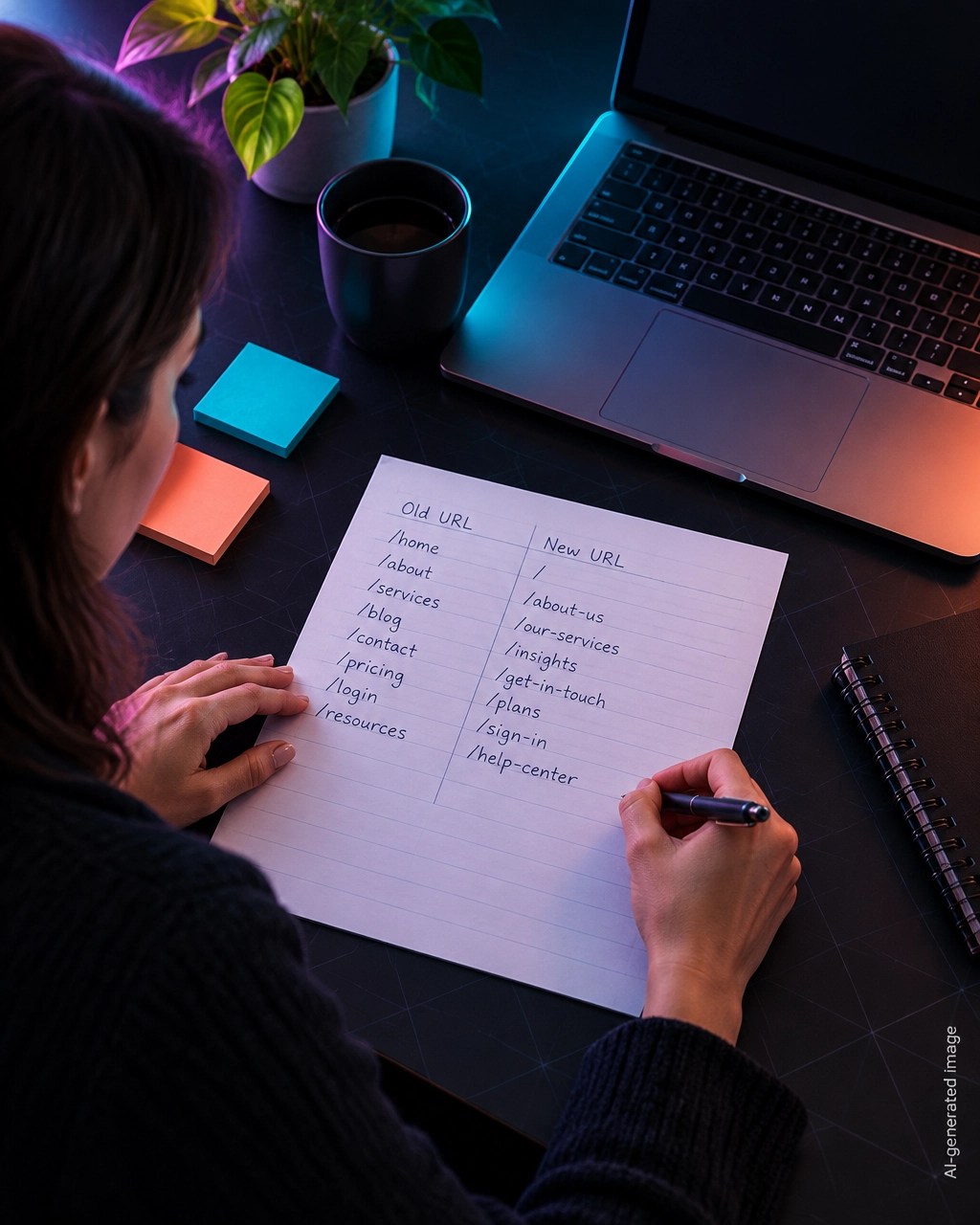
Keep one redirect table. A spreadsheet is enough for a small site. Add the old URL, new URL, redirect type, date, and status.
Do not scatter redirect rules across your builder, plugin, CDN, and hosting panel without documenting them. Multiple systems often create chains and loops.
After every rebuild or theme change:
- Export or save the previous URL list.
- Compare old and new slugs.
- Test header, footer, button, image, and PDF links.
- Crawl the sitemap.
- Check redirects and status codes.
- Review Search Console for new 404 and redirect errors.
- Run the same check again after the site goes live.
This is basic digital marketing analytics. You are not only checking whether pages look good. You are checking whether users and crawlers can move through the site.
FAQ
Do broken links hurt rankings?
One broken link does not automatically create a ranking penalty. A pattern of broken links can weaken crawling, waste resources, damage user experience, and reduce the internal context connecting your pages.
Fix important broken links quickly, especially links from navigation, high-traffic pages, and content hubs.
How many redirect hops are too many?
Use zero hops for internal links and one hop for legacy URLs.
Google may follow several redirects, but that is not a target. A chain such as A → B → C adds risk and makes maintenance harder. Flatten it to A → C.
Can AI search still find a page that has a broken link pointing to it?
Yes, if another working path leads to the page, such as a sitemap, external link, or direct crawl discovery.
However, a broken internal link removes one discovery path and weakens your site structure. If the page also has no sitemap entry or external references, AI search systems may not find or cite it.
Your free next step
Run a free website SEO audit after you fix the links. The report checks internal links, sitemap access, metadata, schema, robots rules, page structure, and other SEO ranking factors.
Use the Free Tools page for practical fixes:
- Meta Tag Generator
- Schema Markup Generator
- Robots.txt Generator
- llms.txt Generator
- Search Console Regex Library
Everything is completely free. There is no login, no email requirement, no paywall, and you receive the full report every time.
Want to see how your site scores?
Run Free Audit →Get our insights in your Google feed
Follow Smart Analytics and see our latest tips highlighted in Google Search and AI Overviews.